Yes, in Gark 3 (beta), not only can any image be turned into Ghibli art, but deep research, editing, etc., can be done on any image. Initially, Grok AI (created by xAI) was primarily developed as a text-based AI chatbot (like ChatGPT) and could not create images. But in its version 3 beta, images can be edited and created.
How to create Ghibli-style art from Grok AI ?
Ok, lets start. you can follow these steps to create Ghibli art from Grok 3 (beta).
- Click the Grok icon in the x.com application, which is showing at the footer in the app or from the sidebar in the x.com webpage.

- 2. Click on Edit Image and upload the image that you want to make into Ghibli art form. and after the upload , prompt “change this image into Ghibli art.“
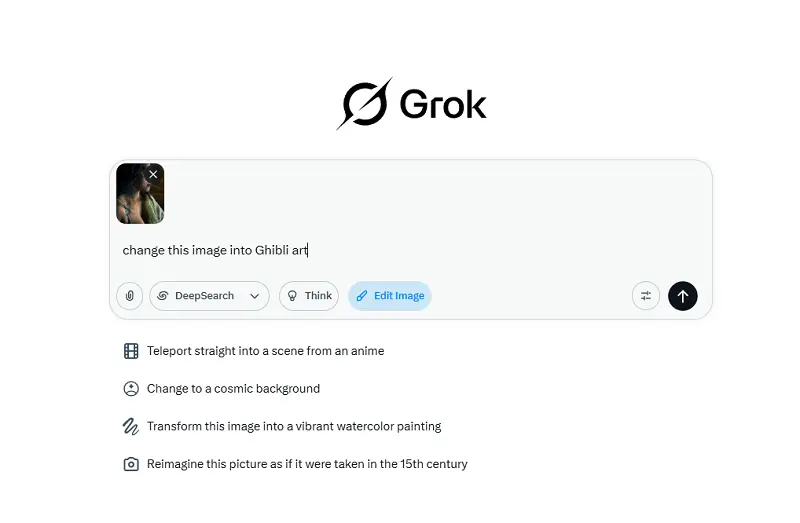
- 3. You will get a Ghibli art form of your image like below.

But this image generation and editing in Grok 3 (beta) is not unlimited. If you want to use Grok 3 (beta) for image editing for unlimited mode, then you have to sign up for Premium or Premium+ to access more editing and image research.
About the Author
With a foundation in German studies from DU, Ankita explores language and thought. Connect via her Instagram.

Can you speed up your metabolism ?
We are unable to control metabolism because it is largely influenced by our thyroid gland’s…
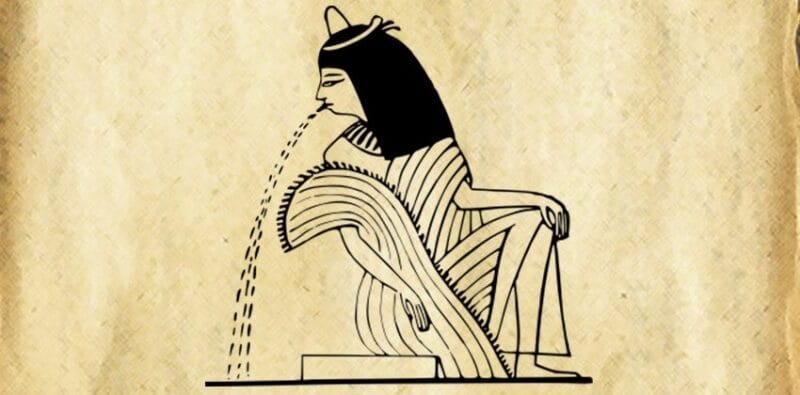
How ancient women test pregnancy
Medical science has a number of precise methods to test pregnancy as soon as possible….
Remind the Lata Mangeshkar : Biography, Facts and Stories
Lata Mangeshkar is a legendary Indian singer and music composer who has recorded thousands of…
How to know if a person really loves you
There are a few clues to look for to know what’s on your loved one’s…
Do you know who is Nidhi Chaudhary ?
Currently, Delhi-based Nidhi Chaudhary is a social media influencer who is often in the news…

Why do we say “Hello” when answering a phone ?
Have you ever questioned why “hello” is the default greeting upon picking up the phone?…
chatgpt ghibli art kaise kare
Please read this article to know more